Why Your Plain React Website is Slow: SSR vs. CSR Explained

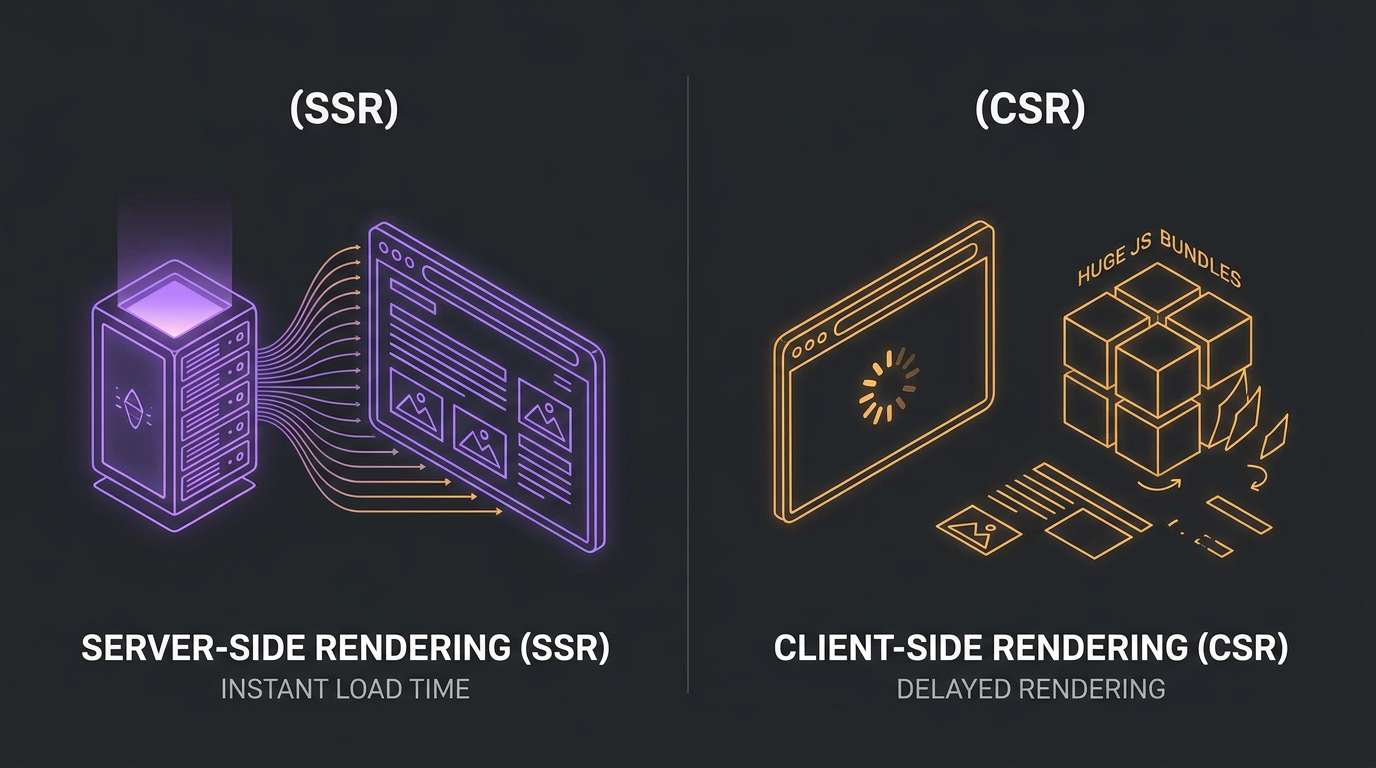
For years, Single Page Applications (SPAs) built with client-side React were the gold standard of modern web development. They promised fluid page transitions, modular component architecture, and a dynamic desktop-like feel. However, as web apps grew, a major issue became clear: client-side rendered (CSR) React websites can be incredibly slow to load initially, destroying user engagement and crushing search engine rankings.
At E2ETech, we audit local business sites weekly and find the same pattern: high-end local services or SaaS portals built on standard React (Vite/Create React App) that achieve poor Lighthouse performance scores and rank far below their potential on Google local search queries. In this article, we'll explain the raw mechanics of why this happens, how Client-Side Rendering differs from Server-Side Rendering (SSR), and how to bridge the gap.
The Core Difference: CSR vs. SSR
To understand why React websites feel slow on initial visit, we must compare the lifecycle of a Client-Side Rendered (CSR) app with a Server-Side Rendered (SSR) app.
1. Client-Side Rendering (CSR)
In a standard React application, the server is extremely simple. When a browser requests the page, the server responds with a blank, near-empty HTML file containing a single root element (e.g., `<div id='root'></div>`) and a script tag linking to a massive Javascript bundle. The browser receives this empty shell and displays a blank white screen. Only after the browser downloads, parses, and executes the entire JavaScript bundle does React mount, construct the DOM, fetch data from APIs, and finally render the visual page.
2. Server-Side Rendering (SSR)
With Server-Side Rendering, the server does the heavy lifting. When a user requests a URL, the server pre-runs the React code on its CPU, renders the components into static HTML string, fetches any required initial API data, and sends a complete, fully-styled HTML document back to the browser. The browser can display the text, layout, and images immediately. While the user is already viewing the page, a smaller Javascript bundle downloads in the background to attach interactive event listeners—a process known as hydration.
Why Standard React (CSR) is Slow for Businesses
There are four primary reasons why pure client-side React websites struggle with real-world performance:
- The JavaScript Tax (Parse & Compile): Browsers can display HTML and CSS almost instantly. However, JavaScript requires CPU cycles to parse, compile, and execute. On average mobile devices with slower processors, parsing 1MB of JavaScript can delay interactivity by 5 to 8 seconds.
- API Waterfall Delays: In a CSR app, React first renders, then discovers it needs to fetch data (e.g., service lists, catalog items). It fires an API request, waits for a database roundtrip, and then re-renders the page. This causes layout shifts and loading spinners that irritate visitors.
- Cumulative Layout Shift (CLS): As component elements fetch their data asynchronously at different times, sections jump around on the screen. Google penalizes websites with unstable layouts via its Core Web Vitals algorithms.
- Weak SEO Indexability: While Google's search crawlers can execute JavaScript, they do so in a two-stage pass. If your Javascript takes too long to load or fetch APIs, search engines will index an empty, blank page, causing you to lose rank on vital search queries.
How Next.js Solves the Performance Bottleneck
Next.js solves this by shifting the rendering phase to the server. By rendering page layouts into HTML on demand (SSR) or compiling them statically during build time (Static Site Generation, or SSG), Next.js delivers three critical wins:
- Immediate Content Delivery: Visitors see your site's heading, navigation, and landing banners within milliseconds instead of staring at a blank screen or a loading wheel.
- No Client-Side API Chasing: Database queries and API calls are executed on the server, close to your databases. The client receives pre-populated data directly in the HTML string.
- Perfect SEO & Lighthouse Scores: Because the HTML is pre-rendered, search crawlers read comprehensive titles, keywords, headings, and structures instantly, rewarding the site with high search rankings.
Conclusion: Moving From Client-First to Server-First
If your business depends on organic local SEO and high mobile conversions, client-side React is a silent performance killer. Transitioning to server-rendered architectures like Next.js is no longer an optional optimization; it is a business requirement.